
Every time machinery is serviced, energy sources pose a silent threat. Unexpected startup, residual energy release, or human error can lead to severe injury—or worse. That’s where a lockout tagout log sheet template becomes more than paperwork: it’s a legal, operational, and human safeguard.
OSHA’s Control of Hazardous Energy standard (29 CFR 1910.147) requires documented procedures for controlling energy during maintenance. But compliance isn’t just about checking boxes. It’s about creating a culture where every technician signs in, locks out, and verifies isolation—every single time.
A standardized log sheet template makes this consistent. Without one, teams risk incomplete records, skipped steps, or confusion during shift changes. With one, they gain traceability, accountability, and peace of mind.
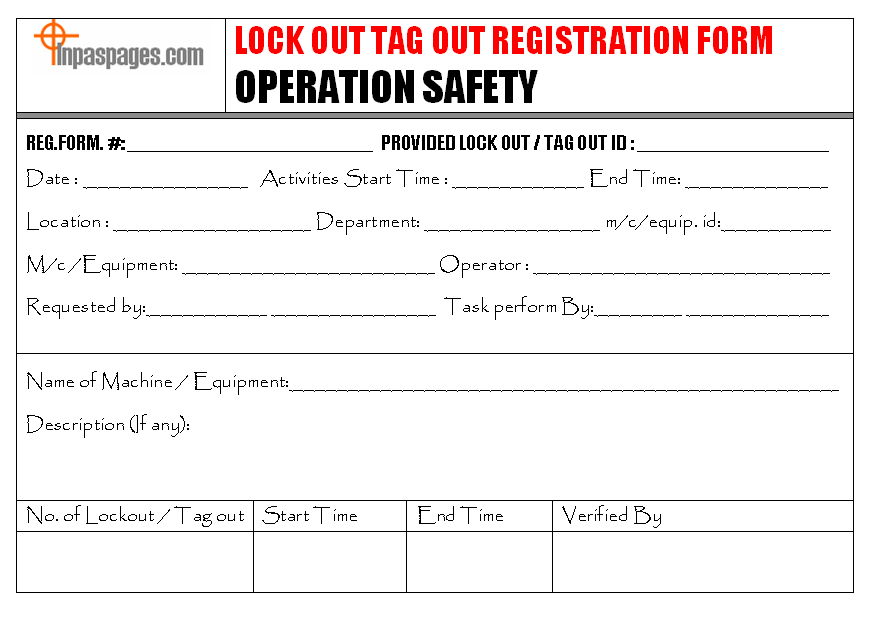
What Belongs in a LOTO Log Sheet Template
A functional lockout tagout log sheet isn’t a formality. It’s a real-time safety ledger. When designed well, it captures essential details without slowing down workflow.
Here are the core components every effective template should include:
Date and Time of Lockout Record when the lockout begins and ends. This helps track downtime and confirms shifts didn’t overlap without proper handover.
Equipment Identification Be specific: include machine name, ID number, location, and system type (electrical, hydraulic, pneumatic). Vague entries like “press machine” invite confusion.
Authorized Employee(s) List names and roles of personnel applying locks. This creates personal accountability. Include contact info for shift leads where applicable.
Energy Sources Isolated List each energy source (e.g., main power, hydraulic lines, steam valves) and the method used to isolate it (lock, bleed valve, block).
Lock and Tag Details Note lock numbers, tag IDs, and their placement (e.g., “Lock #12 on main disconnect switch”). Tags should clearly state why the lock is in place and who applied it.
Verification of Zero Energy A blank line isn’t enough. Include a verification step where the employee confirms testing methods—like trying to start the machine or using a voltage tester.
Release and Clearance
When work finishes, the log must record who verified the area was clear, who removed each lock, and the time of re-energization.
“If it isn’t documented, it didn’t happen.” This mantra holds true in audits and incident investigations alike.
Common Mistakes in LOTO Logging (And How to Avoid Them)
Even experienced teams make mistakes when templates are poorly designed or inconsistently used.
Using Generic or Handwritten Logs Photocopied scraps or unstructured notebooks lead to missing data. A formal, pre-formatted template reduces omissions.
Skipping the Verification Section
Many log sheets list isolation steps but skip zero-energy confirmation. This is a critical gap. Always include a checkbox or line for verification.
One Lock, One Entry – Not One Machine, One Entry Large equipment may require multiple locks from different team members. Each must be logged individually. A shared lock entry undermines traceability.
No Sign-Off for Lock Removal Releasing a machine without documenting who removed which lock is a major compliance risk. Every removal must be timed and signed.
Failing to Integrate with Shift Handovers LOTO often spans shifts. Without a clear log, incoming workers may assume equipment is safe. The template must flag ongoing lockouts and pending work.
Pro Tip: Use color-coded sections or digital timestamps for multi-shift operations. Highlight active lockouts in red until fully cleared.
Practical Use Cases: When the Right Template Prevents Disaster
Case 1: Preventing a Startup During Maintenance At a Midwest food processing plant, a mechanic was repairing a conveyor belt. The lockout log clearly showed three locks applied, with verification signatures. A supervisor later tried to restart the system but paused when he saw the open log sheet. The mechanic was still inside the guard—only the log prevented a near-fatal incident.
Case 2: Audit Survival During an OSHA inspection, a manufacturing facility was asked to produce LOTO records for the past quarter. Their standardized digital log sheets—with timestamps, photos of locks, and electronic signatures—passed scrutiny in minutes. Competitors using paper scraps faced citations.
Case 3: Multi-Craft Collaboration In a power generation facility, electrical, mechanical, and control engineers worked on a turbine. Each applied locks for their domain. The shared LOTO log sheet let them track interdependencies and ensure no single team released the system prematurely.
These aren’t edge cases. They’re everyday scenarios where a well-built template acts as both a safety tool and a liability shield.
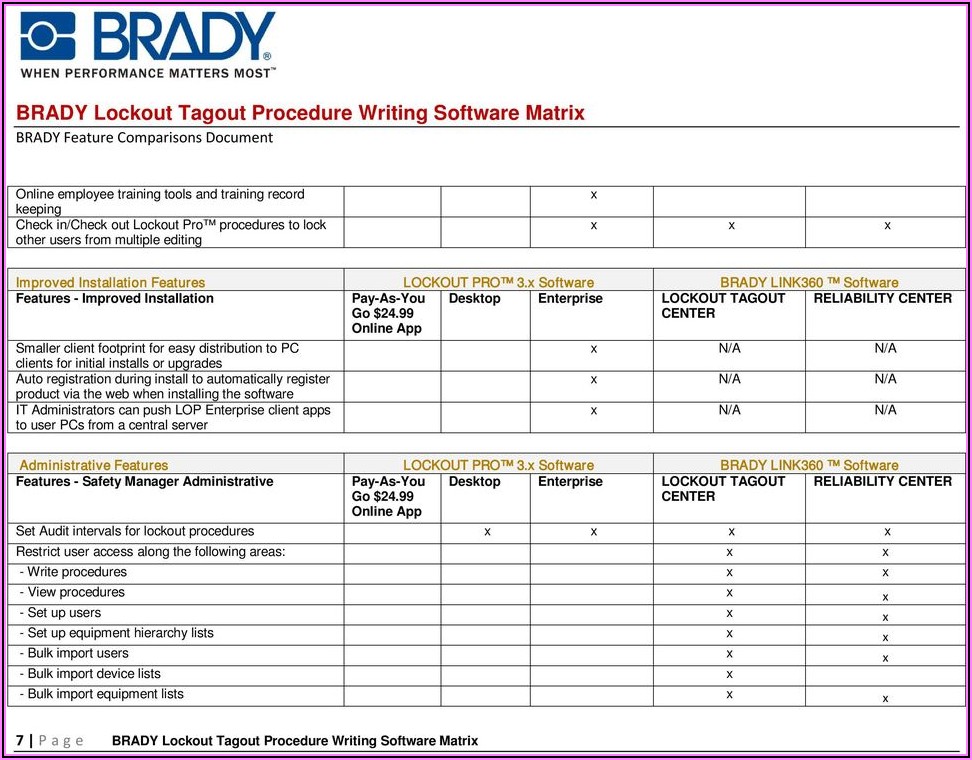
Top 5 Lockout Tagout Log Sheet Templates (Free & Customizable)
Not all templates are created equal. The best ones balance OSHA compliance with usability. Here are five reliable options:
| Template | Format | Key Features | Best For |
|---|---|---|---|
| OSHA-Compliant LOTO Log (PDF) | Printable PDF | Pre-filled fields, verification checklist, multi-lock tracking | Small workshops, field teams |
| Editable Excel LOTO Tracker | Excel / Google Sheets | Auto-timestamps, dropdowns for equipment, exportable logs | Facilities with recurring maintenance |
| Digital LOTO App Template (e.g., Lockout Pro) | Mobile app | Photo logging, real-time sync, approval workflows | Large plants with mobile crews |
| Customizable Word Template | DOCX | Brandable, easy to edit, print-ready | Companies needing internal branding |
| NFPA-Style LOTO Form | PDF / Online | Aligns with NFPA 70E, includes arc-flash risk notes | Electrical and utility teams |
Choose based on your workflow. Paper works for isolated machines. Digital systems shine when teams are large or dispersed.
Want to create your own? Start with OSHA’s sample procedures, then layer in your equipment list and approval chain.
How to Customize Your LOTO Log Sheet A one-size-fits-all template rarely fits. Customize wisely:
Step 1: Audit Your Equipment List all machines requiring lockout. Note their energy types and common maintenance tasks.
Step 2: Define Roles Specify who can apply locks, verify isolation, and release equipment. Some organizations limit release to the original lock-applier.
Step 3: Add Site-Specific Fields Include department, work order number, or permit-to-work references if used.
Step 4: Test with Real Teams Run a pilot. Ask technicians: Is it fast to fill? Are any steps missing?
Step 5: Train and Reinforce A perfect sheet fails if people don’t use it. Train teams on why each field matters—not just how to fill it.
Red Flag: If workers crumple the form or skip sections, the design is too complex or irrelevant. Simplify.
Digital vs. Paper: Which LOTO Log Works Better?
The debate isn’t about technology—it’s about control.
Paper Logs: Pros & Cons - ✅ No training needed - ✅ Low cost - ❌ Easily lost or damaged - ❌ No audit trail - ❌ Hard to search or archive
Digital Logs: Pros & Cons - ✅ Real-time updates - ✅ Built-in reminders - ✅ Searchable history - ❌ Requires devices and connectivity - ❌ Initial setup time
For most modern operations, digital wins. But paper still has a place—especially in remote or low-connectivity areas.
Hybrid approach: Use printed logs with a daily scan-and-upload policy to maintain backups.
The Bottom Line: Your Template Is Part of Your Safety DNA
A lockout tagout log sheet template isn’t just a form. It’s evidence of discipline. It shows regulators, employees, and insurers that safety isn’t situational—it’s systematic.
Whether you print a PDF or deploy a mobile app, the goal is the same: every lock applied, every energy source verified, every technician accounted for.
Start with a compliant, clear template. Test it. Improve it. Make it routine.
Because when the alarm sounds and the machine hums back to life, you need more than hope. You need a log that proves—step by step—that everyone walked away safe.
Frequently Asked Questions
What is a lockout tagout log sheet used for? It documents who locked out equipment, when, which energy sources were isolated, and when it was safely re-energized—ensuring compliance and safety.
Do all employees need to sign the LOTO log? Yes, every authorized employee applying a lock must be listed and sign the log for traceability.
Can I use a digital LOTO log sheet for OSHA compliance? Yes, as long as it’s secure, tamper-proof, and includes all required information, digital logs are fully compliant.
How long should LOTO logs be kept? OSHA requires at least one year of records, but many companies retain them for 3–5 years for audit and liability purposes.
What happens if a LOTO log is incomplete? Incomplete logs can result in OSHA citations, failed audits, and increased liability during incident investigations.
Should contractors be included in the LOTO log? Yes. Any outside worker performing servicing must follow your LOTO procedure and be documented in the log.
Can one template work for all machines? A single template format can be used across machines, but each entry must be machine-specific and energy-source detailed.
FAQ
What should you look for in Lockout Tagout Log Sheet Template for Compliance & Safety? Focus on relevance, practical value, and how well the solution matches real user intent.
Is Lockout Tagout Log Sheet Template for Compliance & Safety suitable for beginners? That depends on the workflow, but a clear step-by-step approach usually makes it easier to start.
How do you compare options around Lockout Tagout Log Sheet Template for Compliance & Safety? Compare features, trust signals, limitations, pricing, and ease of implementation.
What mistakes should you avoid? Avoid generic choices, weak validation, and decisions based only on marketing claims.
What is the next best step? Shortlist the most relevant options, validate them quickly, and refine from real-world results.


